
Connect your Stripe account
Timebun bills through your own Stripe account. Every invoice is raised there, clients pay you directly, and the money never passes through Timebun. Until Stripe is connected you can track time, but you can't draft invoices, sell retainers or let clients pay.
Only the Owner (shown as Portal admin in the app for now) can connect or disconnect Stripe.
Connect
- Go to Settings → Billing → Invoicing.
- In the Stripe account card, click Connect Stripe.
- Sign in to Stripe — or create a Stripe account on the same screen — and authorise the connection. Stripe sends you back to Timebun.
A new Stripe account has to finish Stripe's own setup before it can take real payments. See Stripe's Set up your account.
When it works you'll see Stripe connected. at the top of the page, and the card shows your Stripe account ID, a Live or Test mode badge, and the date you connected. Test mode means you connected a Stripe test account, where no real money moves; to bill for real, disconnect and connect your live account. See Stripe's Testing.
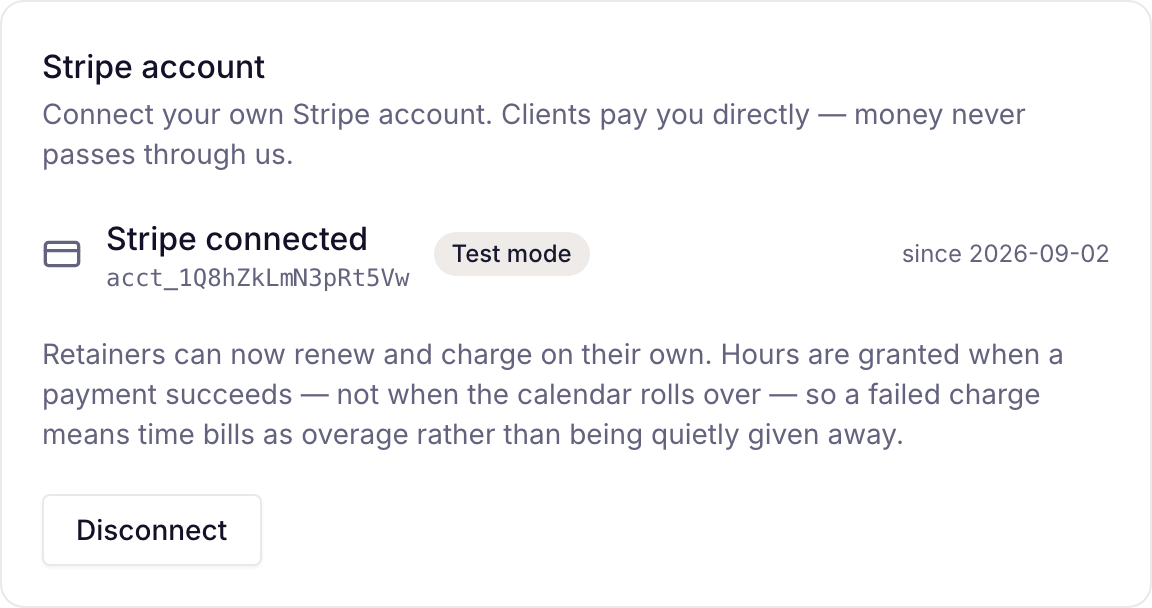
If you see a message instead:
- The connection was cancelled on Stripe's side. Nothing changed. — you (or Stripe) cancelled on the consent screen. Click Connect Stripe again.
- Stripe did not finish the connection. — try again; email support@timebun.com if it keeps happening.
- That Stripe account is already connected to another workspace on Timebun. — one Stripe account can serve one workspace. Disconnect it in the other workspace first, or connect a different account.
What connecting turns on
- Drafting and sending invoices (Create an invoice from unbilled work).
- Retainers that renew and charge on their own. Hours are added when a payment succeeds, not when the calendar rolls over, so a failed charge means time bills as overage rather than being given away.
- Clients paying invoices and buying top-ups from their portal.
Disconnect
Click Disconnect and read the dialog before you confirm with Disconnect Stripe:
- Hours stop being granted, because Timebun stops hearing about payments.
- Clients can no longer buy top-ups or pay an invoice from their portal.
- Nothing in Timebun can sell, change or cancel a subscription any more.
- Retainers already running keep renewing on your Stripe account, and their clients keep being charged — with no hours arriving for it. Cancel them in Stripe first if that's what you meant.
Nothing already paid for is taken back, and your plans, bundles and invoices stay in Timebun. Reconnecting means going through Stripe's consent screen again.