
Subscribe to Timebun
You subscribe from the Timebun plan card and pay on Stripe's own checkout page. Only the Owner (shown as Portal admin in the app for now) can subscribe. You can do it at any point in your trial, or after it has ended.
Subscribe
- Go to Settings → Workspace → General and scroll to the Timebun plan card.
- Click Subscribe.
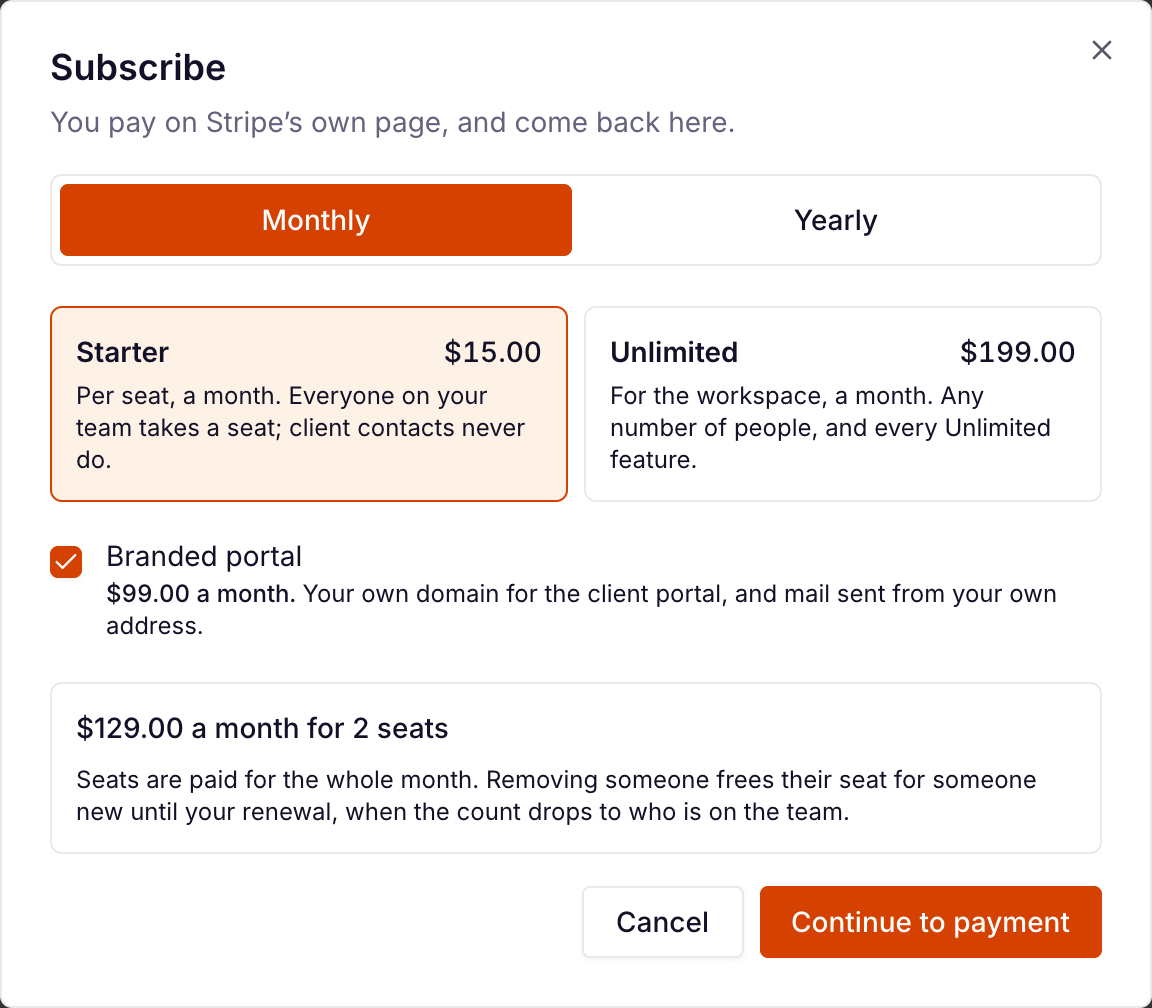
- Choose Monthly or Yearly.
- Choose Starter (priced Per seat) or Unlimited (priced For the workspace). Each shows its price for the billing period you picked.
- Tick Branded portal if you want the add-on. See Timebun's plans.
- Check the total at the bottom. On Starter it's worked out for the people on your team today, for example "for 4 seats".
- Click Continue to payment.
- Enter your card on Stripe's page and confirm. Timebun never sees your card number.
You're brought back to the plan card with Thank you for subscribing. It can take a moment for the new plan to show there; refresh the page if it hasn't.
If you leave Stripe's page without paying, you're brought back to the plan card and nothing has changed.
If you subscribe during your trial
You keep the rest of your trial. Your card is first charged when the trial ends, and you keep everything in Unlimited until then. If less than two days of trial are left, the first charge is made about two days after you subscribe.
What you'll see afterwards
The plan card shows your plan, billed monthly or billed yearly, an Active badge and Renews on with the date. On Starter it also shows your seats. Two buttons replace Subscribe:
- Change plan — see Change your Timebun plan.
- Manage billing — card, billing details, invoices and cancelling. See Manage your Timebun billing.
If something goes wrong
- Stripe's prices could not be read just now — close the dialog and try again in a minute.
- This workspace already has a subscription — you've already subscribed; use Change plan or Manage billing.
- Billed by arrangement with Timebun — your workspace is billed outside the app, so there's no Subscribe button. Email support@timebun.com to change it.
- Anything else from Stripe — try again in a minute, and if it keeps happening, email support@timebun.com.
Related: Seats on Starter, Your free trial.