
Why is my workspace read-only?
A workspace becomes read-only when its Timebun trial ends without a subscription, or when its subscription ends — because it was cancelled, or because Stripe couldn't take a payment after several tries. Nothing in it is deleted. Subscribing opens everything again.
How you can tell
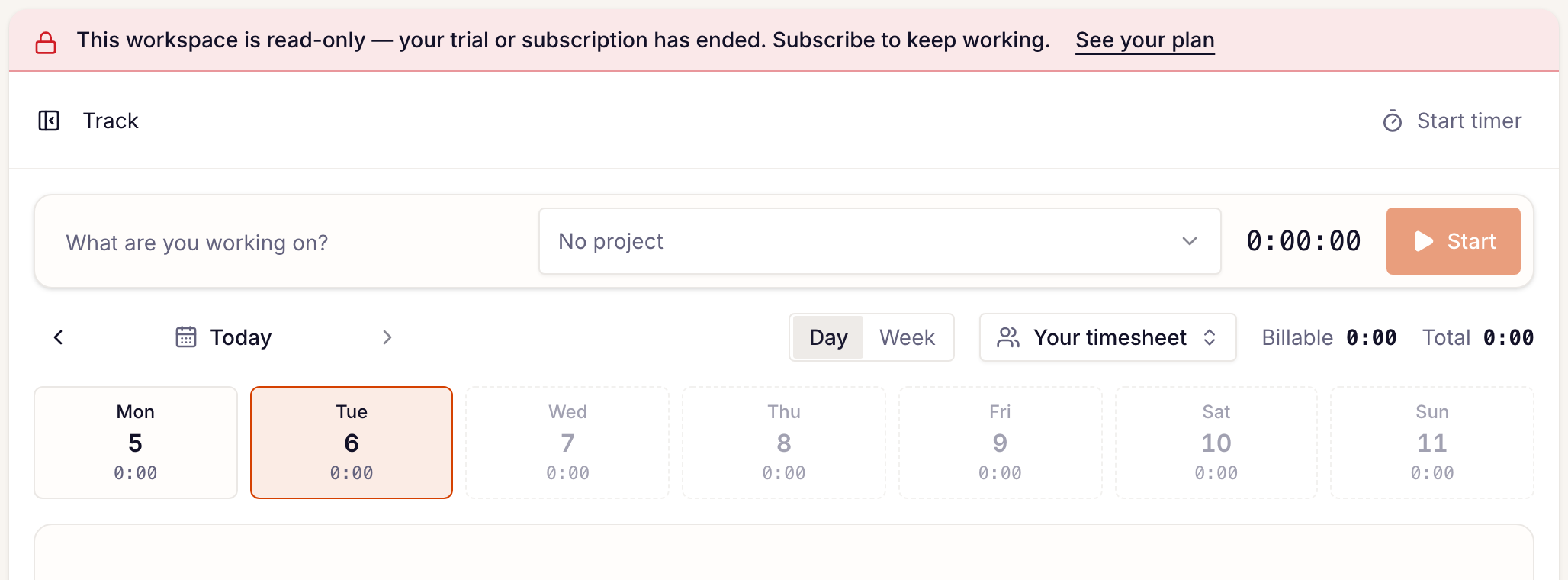
A banner sits at the top of every page:
- The Owner (shown as Portal admin in the app for now) sees This workspace is read-only — your trial or subscription has ended. Subscribe to keep working. with a See your plan link.
- Everyone else sees This workspace is read-only until the Owner's name subscribes.
On Track, Start and Add time manually are greyed out, and so is the play button on each of your entries that resumes it; hover one to read This workspace is read-only until it subscribes to Timebun. For the Owner, the Timebun plan card on Settings → Workspace → General shows a Lapsed badge.
Other buttons still look clickable. If you try to save something, Timebun refuses with This workspace is read-only until it subscribes to Timebun. and tells you who to ask.
What still works
- Signing in, switching workspaces and signing out.
- Reading everything: the tracker, clients, projects, invoices, reports.
- Exporting to CSV.
- Stopping a timer that was already running.
- Your own Profile, Security and Notifications settings, and your phone notifications.
- Revoking API tokens and withdrawing assistant connections.
- The plan card on Settings → Workspace → General: Subscribe, and Manage billing if you had a subscription.
What's blocked
Everything else that adds or changes something, including:
- starting a timer or logging, editing and deleting time;
- creating or editing clients, projects, expenses and rates;
- creating, sending and changing invoices;
- inviting people or changing their roles;
- sending messages to clients;
- changing settings.
The same goes for tools that reach your workspace. With an API token, reads still answer and every write is refused with the code workspace_read_only. A connected assistant such as Claude can still look things up but can't change anything, except stopping a running timer.
What your clients see
Your clients can still sign in to the portal, see their hours and invoices, manage their saved cards, and pay your invoices — a lapsed Timebun bill never stops a client paying you. Anything else they try, such as sending a message or buying hours, is refused with This isn't available right now. Please contact your workspace's name. They aren't told why.
Get out of read-only
The Owner goes to Settings → Workspace → General and clicks Subscribe on the Timebun plan card. As soon as the payment goes through, everything works again, exactly as you left it. See Subscribe to Timebun.
Only the Owner can subscribe. If that's not you, ask them. If nobody can, email support@timebun.com.
Related: Your free trial, Manage your Timebun billing.